
Message your carers.
Right here in PASS.
Ask about an extra visit. Send a team update. Get a reply. Keep your office and carers connected in the platform they already use.
See how messages move between the office and the PASS app.
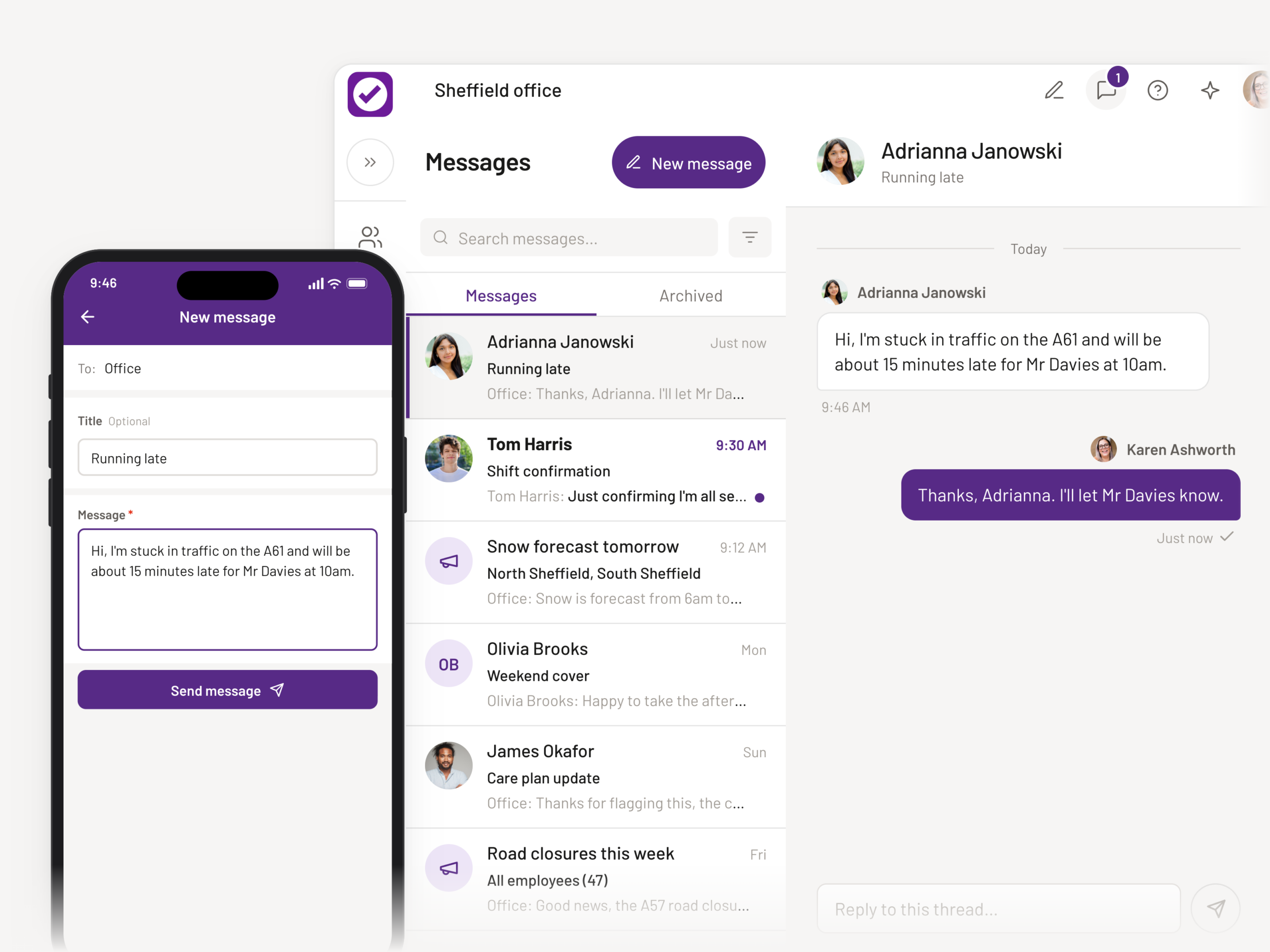
A quick question.
A reply from the app.
Message a carer directly from PASS. They get a notification on their phone and can reply in the PASS app. Carers can start a conversation with the office, too.
One update.
The right carers.
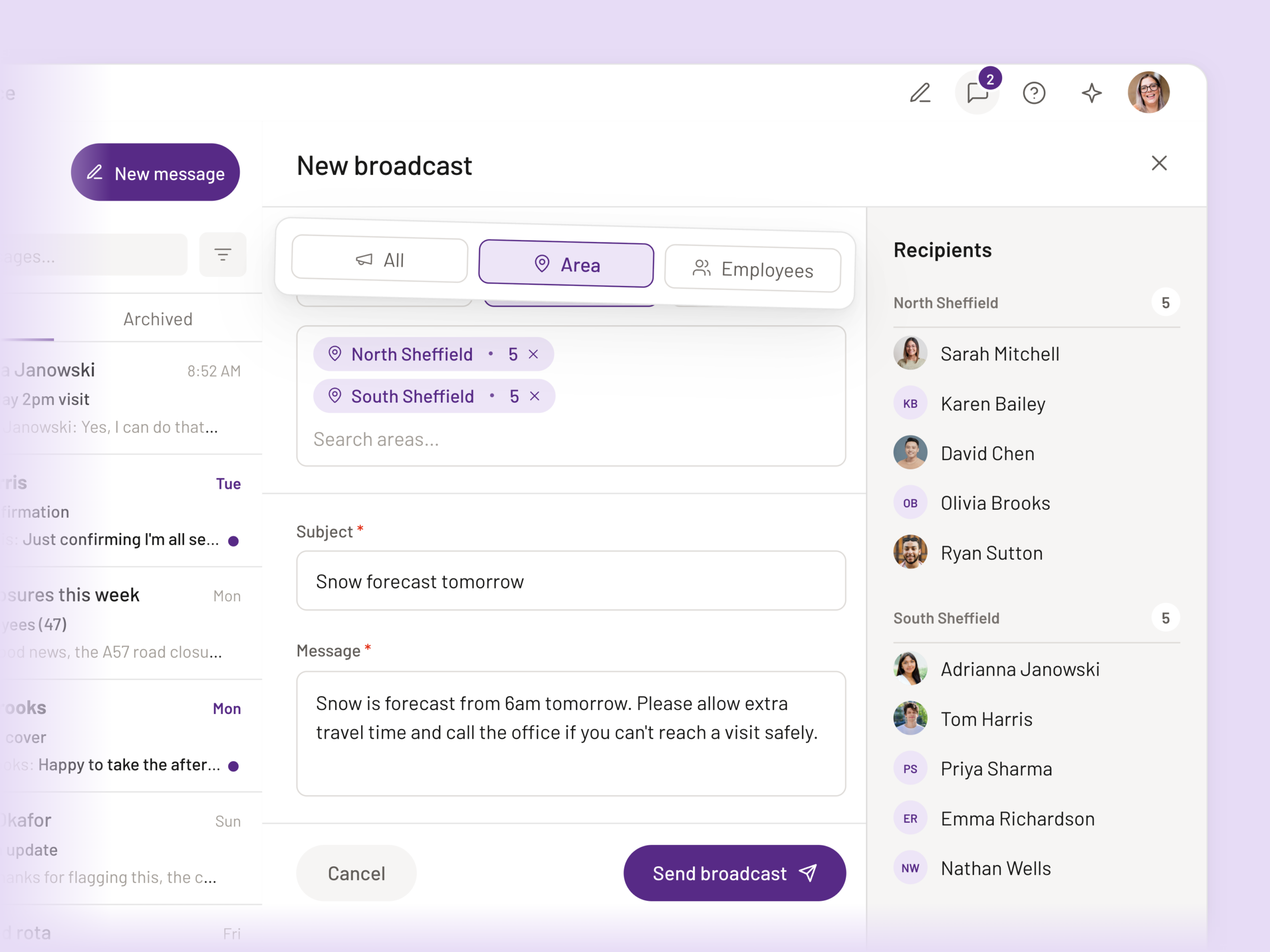
A reminder for one team or a change everyone needs to know about. Choose an area, selected carers or your whole service, then check the recipient list before you send.
Add follow-up updates to the same broadcast to keep them together.
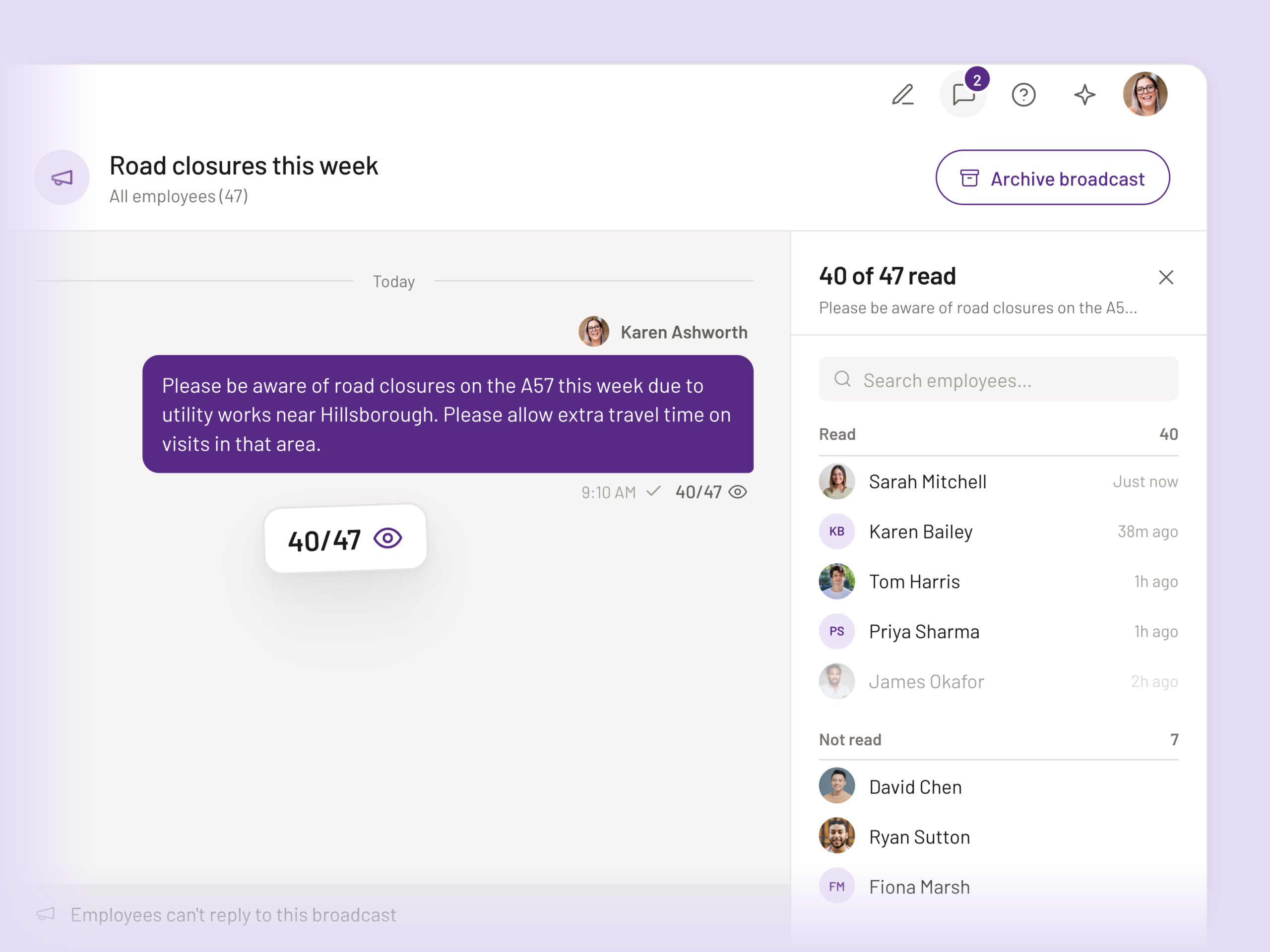
See who’s read it.
Know who to follow up with.
Your broadcast shows how many carers have read it. Open the list to see who has read your update and who still needs a follow-up.
Carers can also see when the office has read their direct message.
Anyone in the office
can pick it up.
Carers message the office, so a conversation can carry on when a colleague steps away. See what’s already been said, who replied and where to pick things up.
The office uses PASS Web. Carers use the PASS app.
The conversation stays in PASS.
Search past messages when you need the detail. Your service keeps the history when a carer leaves, including a record of edits and deletions.
Rota changes reach carers, too.
When you publish a same-day rota change, affected carers receive a notification on their phone.
Staff messaging,
explained.
A simpler way to keep your office and carers connected.
How does staff messaging work?
Your office sends messages from PASS Web, and carers receive and reply to direct messages in the PASS app. Carers can also start a conversation with the office, keeping day-to-day communication together in PASS.
Can I send an update to several carers at once?
Yes. Choose an area, selected carers or your whole service. PASS shows you the recipient list before you send, and you can add follow-up updates to the same broadcast.
How do read receipts help my team?
See how many carers have read a broadcast, then open the list to see who has read it and who needs a follow-up. Carers can also see when the office has read their direct messages.
Can another colleague pick up a conversation?
Yes. Carers message a shared office inbox. Colleagues can see the conversation and who has replied, making it easier to pick things up when someone steps away.
Are messages kept in PASS?
Yes. Your service keeps a searchable history of messages, including a record of edits and deletions. The conversation history stays with your service when a carer leaves.
See your team
working in PASS.
Explore messaging, the rota and the carer app in a 30-minute tour.